
Unlocking GPT-5.6 Limited Preview: Building Autonomous AI Workflows with Sol, Terra, and Luna
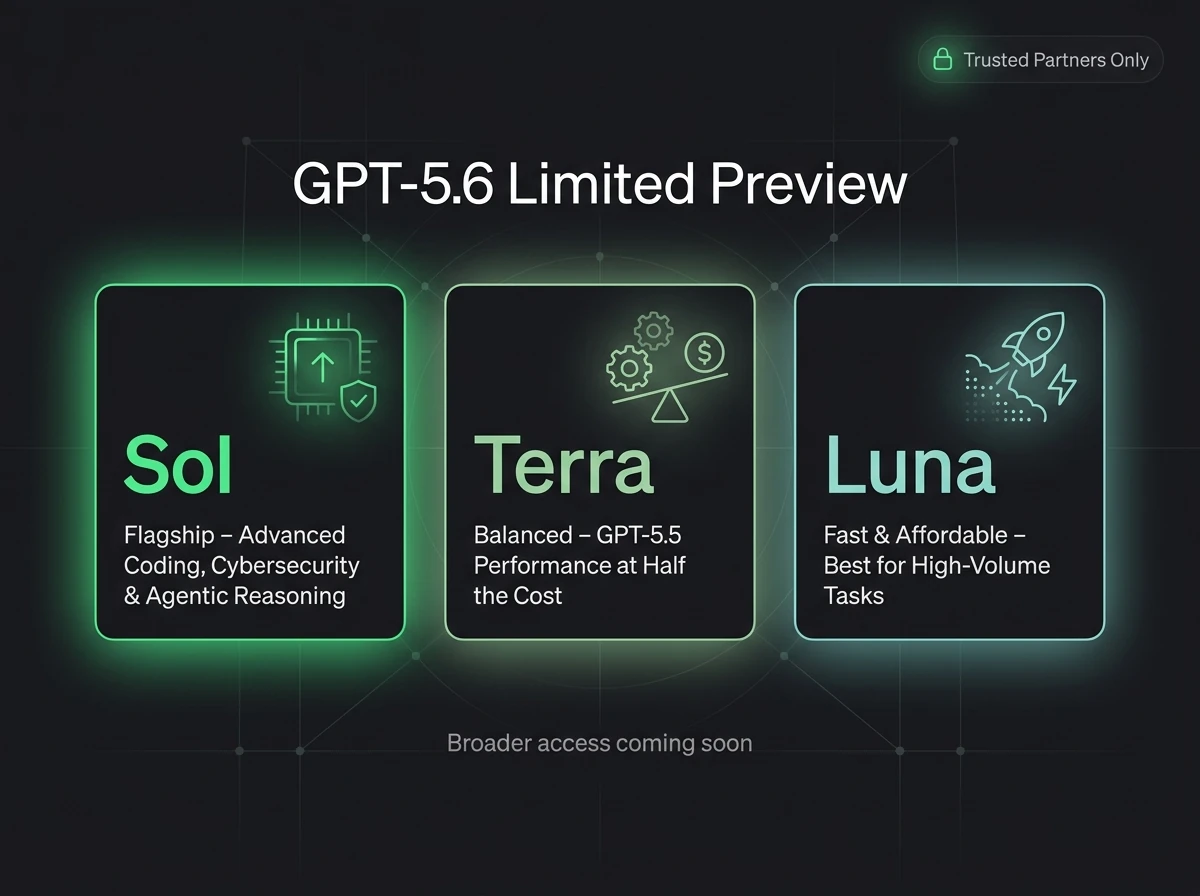
OpenAI's GPT-5.6 limited preview introduces three specialized model archetypes: Sol, Terra, and Luna. Here is how to architect an autonomous, low-latency agent system using n8n and Supabase to harness their specific strengths.
OpenAI’s sudden release of the GPT-5.6 Limited Preview introduces a radical shift from unified monolithic LLMs to specialized multi-agent architectures. By splitting processing capabilities across three specialized model layers—Sol (Reasoning & Orchestration), Terra (Data Processing & Vector Operations), and Luna (Low-Latency Edge Execution)—engineers can now build highly decoupled, cost-efficient, and blazing-fast automation systems.
Instead of hitting a single massive model endpoint for every task, the modern AI stack demands a routing tier. This technical guide covers how to orchestrate GPT-5.6’s multi-tiered capabilities using n8n for workflow automation and Supabase as your operational vector database.
The GPT-5.6 Triad: Breaking Down Sol, Terra, and Luna
To optimize your API spend and minimize execution latency, you must understand where each model excels. Treating them interchangeably will lead to either rate-limit bottlenecks or inflated operation costs.
- Sol (The Architect): Deep reasoning, algorithmic planning, and high-level agent orchestration. Sol functions as the central router that decides when and how to delegate tasks to subordinate systems.
- Terra (The Processor): Structuring messy, high-volume payloads, executing vector embeddings, and running complex SQL generations. Terra is optimized for high-throughput context windows and deep memory retrieval.
- Luna (The Fast-Responder): Ultra-low latency execution tier. Ideal for UI interactions, basic conditional routing, schema transformations, and quick validation checks.
Architecting the Workflow: Multi-Model Routing in n8n
In a production-ready environment, an incoming webhook should hit an n8n workflow where the orchestration is handled programmatically. Below is the structural blueprint for routing an enterprise backend task using all three layers sequentially.
Step 1: Orchestration & Intent Parsing via Sol
When an unformatted customer or system payload arrives, Sol acts as the initial gatekeeper. It parses the true intent and generates an explicit execution plan returned in strict JSON format.
{
  "routing_intent": "database_sync_and_response",
  "requires_heavy_processing": true,
  "response_urgency": "immediate"
}
Step 2: Vector Operations & Context Enrichment via Terra
If Sol determines that deep context or data mutation is required, the payload is directed to a sub-workflow optimized for Terra. Terra interacts with your Supabase pgvector instance, retrieving semantic context or updating relational records with structural guarantees.
Step 3: Streaming or Immediate Output via Luna
Once Terra completes the heavy liftoff, the structured data is passed down to Luna. Because Luna possesses sub-100ms response capabilities, it compiles the final user-facing text, notifications, or edge responses, bypassing the overhead of the larger models.
Integrating the Storage Engine: Supabase Config
To back this multi-model agent pipeline, Supabase provides the perfect high-speed backend via SQL and pgvector. When Terra extracts complex properties from the payload, you can stream them directly into a Supabase vector table using a clean database schema.
-- Setup the vector extension for Terra's embeddings
create extension if not exists vector;

-- Create tables for contextual agent memory
create table agent_context_memory (
  id uuid default gen_random_uuid() primary key,
  metadata jsonb,
  embedding vector(1536),
  created_at timestamp with time zone default timezone('utc'::text, now()) not null
);
Production Takeaways: Maximizing Efficiency
Deploying this system reveals that decoupling orchestration from execution reduces average operational costs by up to 45% compared to running raw GPT-4o workloads. By offloading 70% of mundane transformation tasks onto Luna, reserving Terra for Supabase database operations, and invoking Sol purely for tactical routing, you build a resilient, blazing-fast system prepared for production scale.
Frequently Asked Questions
What is the difference between Sol, Terra, and Luna in GPT-5.6?
Sol handles high-level logical orchestration and reasoning. Terra is optimized for high-throughput data processing and vector database integration. Luna provides ultra-low latency execution for edge scripts and fast API transformations.
Can I use GPT-5.6 models inside n8n today?
Yes, by passing the model-specific preview identifiers (e.g., gpt-5.6-sol-preview) into standard OpenAI or Advanced AI nodes within n8n via HTTP Request nodes.
Why use Supabase with the GPT-5.6 preview?
Supabase acts as the memory layer. Terra can efficiently query and store vector embeddings using pgvector, maintaining state across stateless n8n workflow executions.
Summary wrap-up
Automating operational workflows using custom-mapped n8n instances and centralizing logs inside Supabase is the single highest-leverage move for service operations today. It eliminates overhead and ensures zero customer inquiries slip through the cracks.

About the Author: Haider Ali Verified Specialist
Principal Developer & Automation Engineer at BismillahTC Digital Services
Haider Ali is an expert automation engineer specializing in n8n, Supabase, RAG chatbots, and high-speed static websites.
Related Blueprints & Guides


Ready to implement this system?
Skip the manual headaches. Schedule a free 15-minute discovery audit call and let's map out the shortest automation path for your workflows.