
10 n8n Automation Workflows Every Founder Should Build in 2026
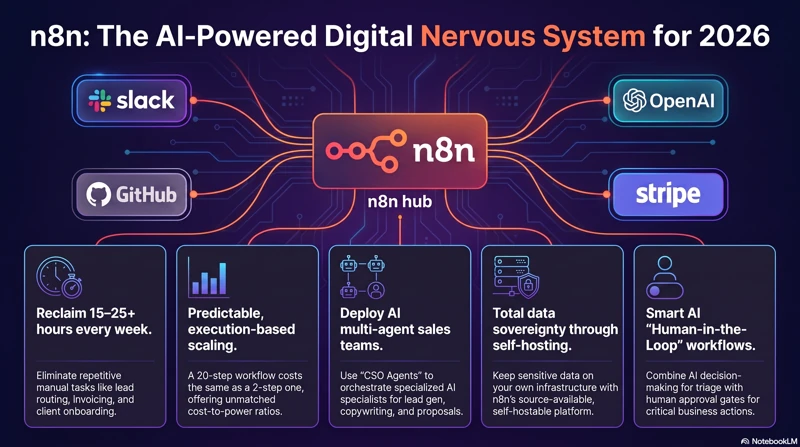
Save 15+ hours every week with these 10 practical n8n automation workflows every founder and agency owner should implement in 2026.
There's a specific moment every founder building with AI hits: the point where "automate everything" stops being aspirational and starts being operationally necessary just to keep up with the business you've already built. Most "n8n automation" content stops at trigger-action basics — new form submission sends a Slack message. That's useful, but it's not what separates a founder running a lean, high-leverage operation from one drowning in manual work.
The "Vibe Coding" Shift
The role of the technical founder has quietly changed. Fewer founders are writing every line of application logic by hand — more are orchestrating: describing outcomes to AI coding agents, wiring services together, and letting automation platforms handle the connective tissue between tools. n8n sits at the center of that shift because it's one of the few platforms that lets you go from "drag a node" to "write custom JavaScript" to "call an LLM with a vector store behind it" without switching tools.
Why n8n in 2026
Three things make n8n the default choice for founders building this way this year:
- Self-hosting for cost efficiency — running it on your own infrastructure (a VPS, Docker, a Cloudflare tunnel) means your automation costs don't scale linearly with usage the way most SaaS automation tools do.
- AI-native building blocks — first-class nodes for LLM calls, vector stores, and agent-style logic mean you're not bolting AI on as an afterthought.
- Custom code where no-code breaks down — a Function node with real JavaScript means you're never stuck waiting for the platform to add a feature you need today.
The thesis of this article: automation shouldn't just save you time on repetitive tasks. Built well, it should function as an extension of your engineering and operations team — one that never gets tired, never forgets a step, and gets smarter every time you improve the underlying workflow.
Below are ten workflows worth building in 2026, ordered roughly by how much leverage they return relative to setup effort.
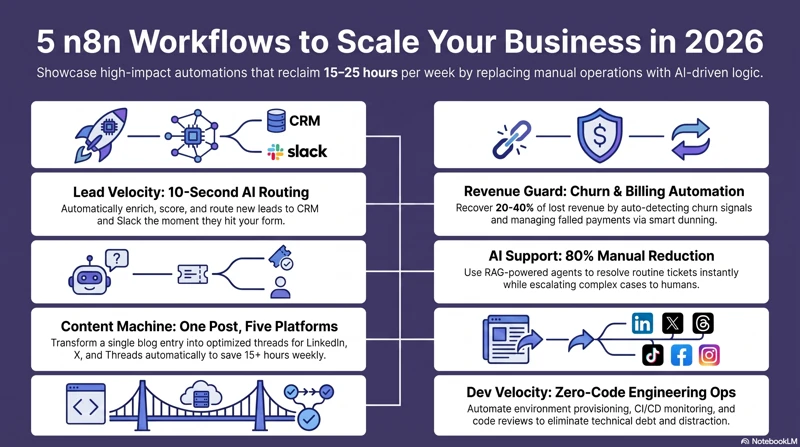
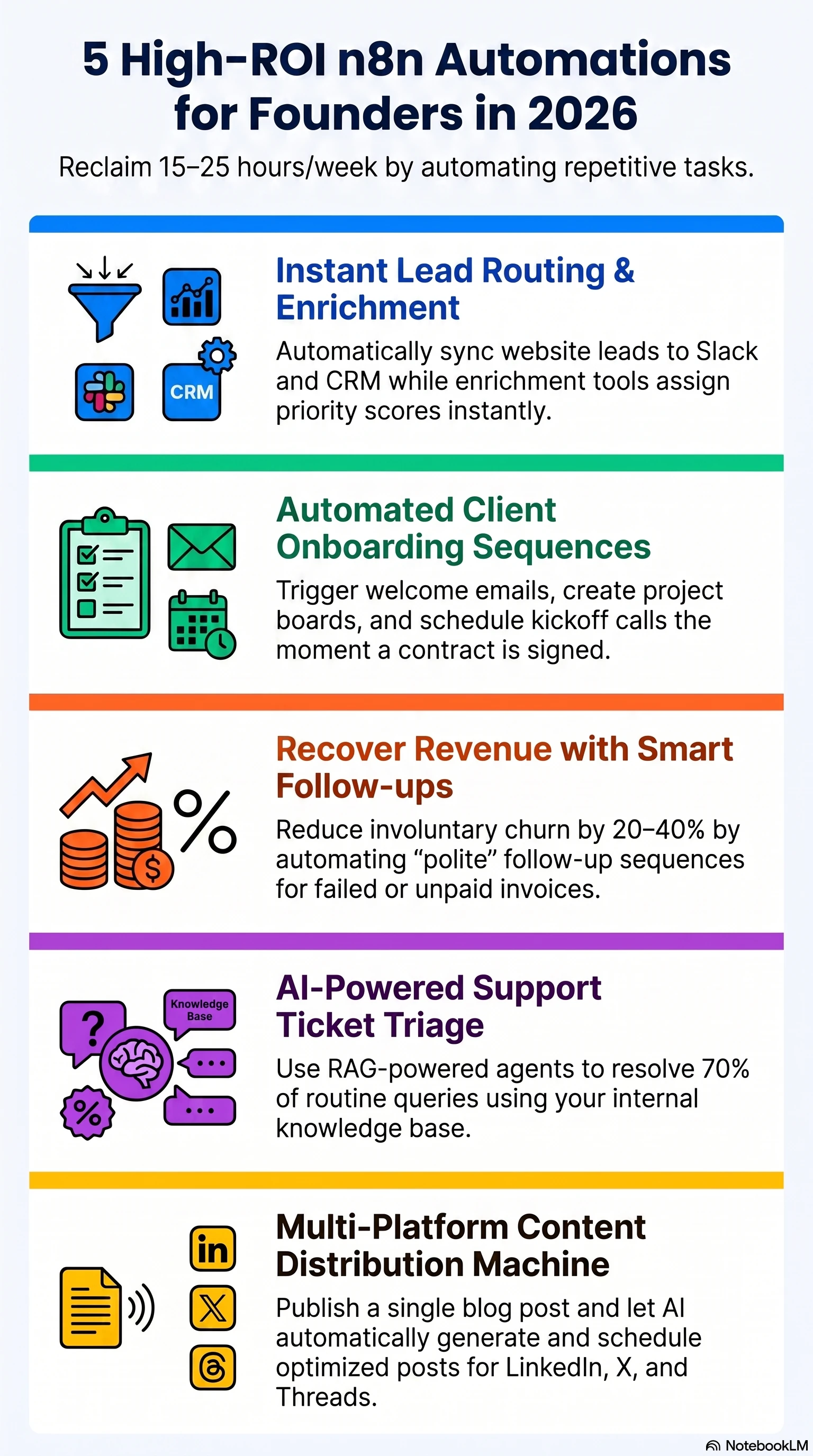
1. The Autonomous Lead Enrichment Pipeline
The problem: A raw email address or a name in a spreadsheet tells you almost nothing. Founders routinely let leads sit unqualified for days because enrichment and scoring are manual, so the leads that matter most don't get prioritized.
The n8n solution: A form submission triggers a webhook, which calls an enrichment API (Clearbit, Apollo, or similar) to pull company size, role, and industry. An LLM node then scores the lead against your specific Ideal Customer Profile criteria — not a generic lead score, but one written in the language of your actual sales process. The result routes into your CRM with the score and reasoning attached.
Tech stack: Webhook trigger → HTTP Request (enrichment API) → LLM node (OpenAI/Gemini) for scoring → Supabase or CRM write.
Get the full workflow breakdown →
2. AI-Powered Customer Support Agent (RAG-Based)
The problem: Every hour spent answering the same three support questions is an hour not spent building product. But founders are (rightly) nervous about fully automating support responses.
The n8n solution: Incoming messages from your support inbox or WhatsApp trigger a vector search against your own documentation stored in Supabase (pgvector). An LLM drafts a response grounded in that retrieved context — not a hallucinated answer — and the draft goes to Slack or email for a human to approve or edit before sending. You get the speed of automation with a human still in the loop for anything that matters.
Tech stack: Gmail/WhatsApp trigger → Supabase vector store lookup → LLM (Claude/GPT) for drafting → Slack approval step.
Get the full workflow breakdown →
3. The Content Repurposing Engine
The problem: You publish a blog post or a YouTube video once and never touch the idea again, even though it could easily become five more pieces of content on other channels.
The n8n solution: An RSS feed or webhook detects new source content. An LLM summarizes and reformats it for each target platform — a thread for X, a post for LinkedIn, a short caption for Instagram — respecting each platform's tone and length conventions rather than pasting the same text everywhere. The output posts automatically or queues in Buffer for review.
Tech stack: RSS/Webhook trigger → LLM formatting node (per platform) → Buffer or native social API.
Get the full workflow breakdown →
4. Smart Invoice Reconciliation
The problem: Manually matching bank transactions against invoices is tedious and error-prone, and it's usually the founder or a generalist ops hire doing it — not the best use of either person's time.
The n8n solution: Bank statements and email attachments feed into the workflow, where an AI document-parsing step extracts vendor, amount, and date from PDFs or images. The extracted data is compared against your existing records, and any mismatch — duplicate charge, missing invoice, wrong amount — gets flagged automatically instead of surfacing three weeks later during monthly close.
Tech stack: Gmail/Drive trigger → AI vision/document parsing → comparison logic against Supabase or accounting software records.
Get the full workflow breakdown →
5. SaaS User Onboarding & Activation Loop
The problem: Users sign up, poke around, and leave without ever reaching the feature that would have made them stick around — and nobody notices until churn numbers show up weeks later.
The n8n solution: Product events stream in via an API or Segment integration. Conditional logic checks whether a user has hit a defined "activation" milestone within a set time window. If not, a personalized nudge — an email, an in-app message, or a Slack alert to a founder for high-value accounts — fires automatically.
Tech stack: Product event API → conditional logic branching → Resend/Mailgun for email, Slack for high-touch accounts.
Get the full workflow breakdown →
6. Automated Product Feedback & Sentiment Analysis
The problem: Feedback arrives scattered across GitHub issues, support emails, and Discord messages, and nobody has time to read all of it, let alone spot the pattern hiding across all three.
The n8n solution: Feedback from each channel routes into a single pipeline. An LLM classifies each item by intent (bug report vs. feature request) and sentiment, then automatically tags and creates a ticket in your project tracker — so your backlog reflects real signal instead of whoever complained loudest that week.
Tech stack: Email/Slack/Discord trigger → LLM classifier → Asana/Linear API for ticket creation.
Get the full workflow breakdown →
7. Competitor and Market Monitoring Agent
The problem: Staying on top of what competitors are shipping and how the market is moving is valuable — and almost nobody does it consistently, because it's boring and easy to deprioritize.
The n8n solution: A scheduled job periodically checks competitor websites, changelogs, or news sources. An LLM summarizes what changed and why it might matter, and a concise weekly digest lands in your Slack or inbox — turning market awareness from "something I mean to do" into something that happens whether you remember or not.
Tech stack: Cron trigger → HTTP Request/crawler → LLM summarization → Slack/email digest.
Get the full workflow breakdown →
8. Human-in-the-Loop Sales Outbound
The problem: Fully automated cold outreach reads as generic and gets ignored — or worse, damages your sender reputation. But fully manual outreach doesn't scale.
The n8n solution: The workflow pulls a target's public profile and recent activity, and an LLM researches relevant context (a recent post, a funding announcement, a job change) to draft a genuinely personalized first message. Crucially, the draft pauses for human review — via an n8n form or an email approval step — before anything sends. You get outreach that scales without losing the personalization that makes it work.
Tech stack: CRM/scraper data pull → LLM research and drafting → webhook-based human approval step.
Get the full workflow breakdown →
9. Real-Time Security and System Alerts
The problem: Too many founders find out their service is down because a customer emails to complain — not because a monitoring system told them first.
The n8n solution: A scheduled job pings your health endpoints on a short interval. On failure, an automatic diagnostic sequence runs — checking related services, pulling recent error logs — and posts the full context to Slack or another alert channel immediately, so you're debugging within minutes instead of finding out from a support ticket.
Tech stack: Cron trigger → HTTP Request health checks → conditional diagnostic branch → Slack/Discord alert.
Get the full workflow breakdown →
10. Automated Document Generation (Contracts and Invoices)
The problem: Drafting the same contract or invoice format over and over, with only the client details changing, is exactly the kind of repetitive work automation exists to remove — yet most founders still do it by hand in a Google Doc every time.
The n8n solution: A CRM update (deal marked "won," for example) triggers the workflow. It populates a document template with the relevant dynamic data and sends the finished document straight to an e-signature tool for the client to sign — no manual copy-pasting, no version-control confusion over which template is current.
Tech stack: CRM webhook trigger → Google Docs/template population → DocuSign/SignRequest API.
Get the full workflow breakdown →
Free Resource: The Founder's n8n Automation Starter Pack
Reading about ten workflows is useful. Having them ready to import is more useful. I've put together a starter pack with ready-to-import n8n workflow JSON files for all ten automations above, along with setup notes for each integration.
Download the Founder's n8n Automation Starter Pack → /resources/n8n-workflow-templates-pack/
Building a Genuinely Technical Automation Culture
A few principles worth holding onto as you build more of these:
- Don't automate what isn't broken. Validate that a process is worth doing at all, manually, before you spend hours automating it. Automating a bad process just makes bad output happen faster.
- Design for iteration, not permanence. Version your workflows the way you'd version code. As your product and team evolve, your automations need to evolve with them — the workflow you build today is a first draft, not a final answer.
- Start small and specific. Pick one workflow above that would save you at least 30 minutes of genuinely tedious work per week, and build that one first. Momentum comes from a working system, not a perfect plan.
If you'd rather have these workflows built and deployed for your specific stack instead of adapting templates yourself, that's exactly what I help founders do — designing and shipping n8n automation systems wired into Supabase, your CRM, and the AI tools you already use. Book a free automation audit and I'll map out which of these workflows would move the needle fastest for your business.
Frequently Asked Questions
What is the fundamental difference between the pricing models of n8n and competitors like Zapier?
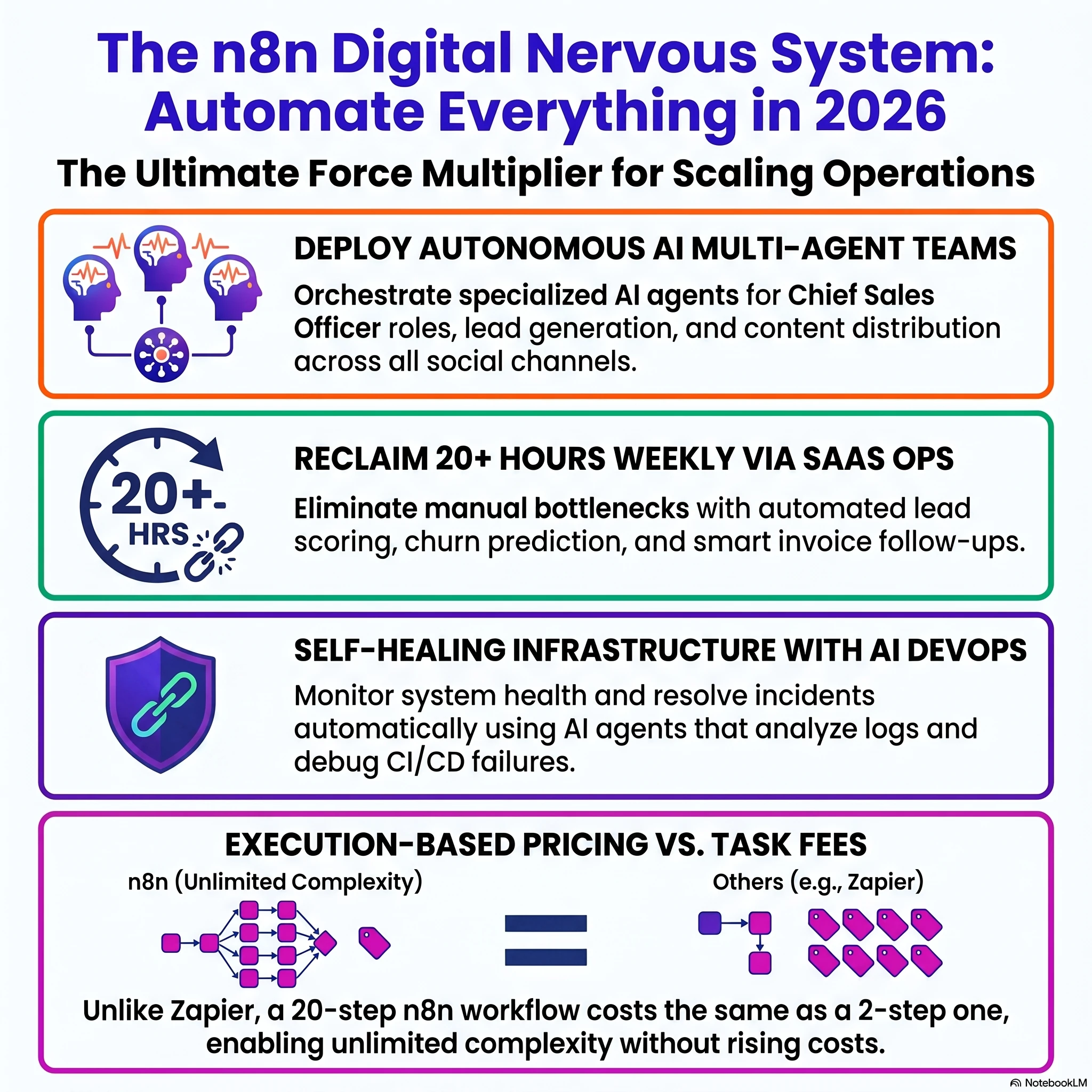
n8n typically charges per workflow execution rather than per individual task or step. This means a complex 20-step workflow costs the same as a 2-step one, making it significantly more cost-effective for technical teams running high-volume, multi-step automations.
How does the "Intelligent GitHub Issue Triage" workflow reduce technical debt for maintainers?
The Intelligent GitHub Issue Triage workflow uses AI to automatically label, prioritize, and detect duplicate issues as they are opened. By automating these mechanical tasks, it prevents senior developers from spending hours on manual triage and ensures the issue database remains organized and searchable.
What is "Retrieval-Augmented Generation" (RAG), and how is it applied in n8n workflows?
Retrieval-Augmented Generation (RAG) is a technique used to ground AI responses in specific, factual data, such as company documents or product manuals. In n8n, this is achieved by connecting AI nodes to vector databases like Qdrant or Supabase to ensure outputs are accurate and context-aware rather than generic.
Describe the function and benefit of the "Smart Invoice Follow-up" automation for agency owners.
The Smart Invoice Follow-up automation monitors unpaid invoices and automatically sends polite, personalized email reminders to clients at set intervals, such as every 3 days. It eliminates the need for founders to manually track payments and helps recover revenue that might otherwise be lost to oversight.
What is the "Human-in-the-Loop" (HITL) approach, and why is it recommended for AI automations?
Human-in-the-Loop (HITL) involves an automated system performing the bulk of a task, such as drafting an email or analyzing data, but pausing for a human to review or approve the output before it is finalized. This safeguards against AI hallucinations or errors in sensitive areas like customer support or code deployment.
How can n8n be used to improve CI/CD pipeline health monitoring?
n8n monitors pipeline completion events to identify patterns of failure, such as flaky tests or consecutive build drops. It reduces notification fatigue by only alerting teams to critical or new failure patterns rather than pinging Slack for every minor issue.
What role does the "CSO Agent" play in an AI-powered sales department workflow?
In a multi-agent sales team, the Chief Sales Officer (CSO) agent acts as an orchestrator that analyzes incoming requests and delegates tasks to specialized agents. These specialists handle specific functions like lead generation, copywriting, proposal creation, and objection handling.
Explain the advantage of "Lead Enrichment and Scoring" in a founder's workflow.
When a new lead is captured, n8n automatically pulls additional data such as LinkedIn profiles or company size and assigns a score based on priority. This allows sales teams to respond to high-value prospects in seconds rather than waiting for manual research.
Why is n8n considered a superior choice for technical SaaS teams compared to other no-code tools?
n8n is favored by developers because it is open-source, self-hostable, and allows for custom JavaScript or Python code within any node. It provides the flexibility of custom coding with the speed of visual debugging and built-in error handling.
What is the purpose of a "Churn Prediction and Retention Alert" workflow in a SaaS context?
A Churn Prediction and Retention Alert workflow queries customer usage data and billing history to identify signs that a user might cancel their subscription. It triggers proactive alerts for the Customer Success team, allowing them to intervene before the customer actually churns.
Agency Website + Contact Automation
Summary wrap-up
Automating operational workflows using custom-mapped n8n instances and centralizing logs inside Supabase is the single highest-leverage move for service operations today. It eliminates overhead and ensures zero customer inquiries slip through the cracks.

About the Author: Haider Ali Verified Specialist
Principal Automation Engineer & Founder at Smesh.dev
Haider Ali is an expert automation engineer specializing in building custom n8n pipelines, designing relational Supabase databases, training RAG-powered support chatbots, and building high-speed static websites for businesses across Pakistan and internationally.
Related Blueprints & Guides
Ready to implement this system?
Skip the manual headaches. Schedule a free 15-minute discovery audit call and let's map out the shortest automation path for your workflows.