
5 Practical n8n Automation Ideas for Founders and Agency Owners
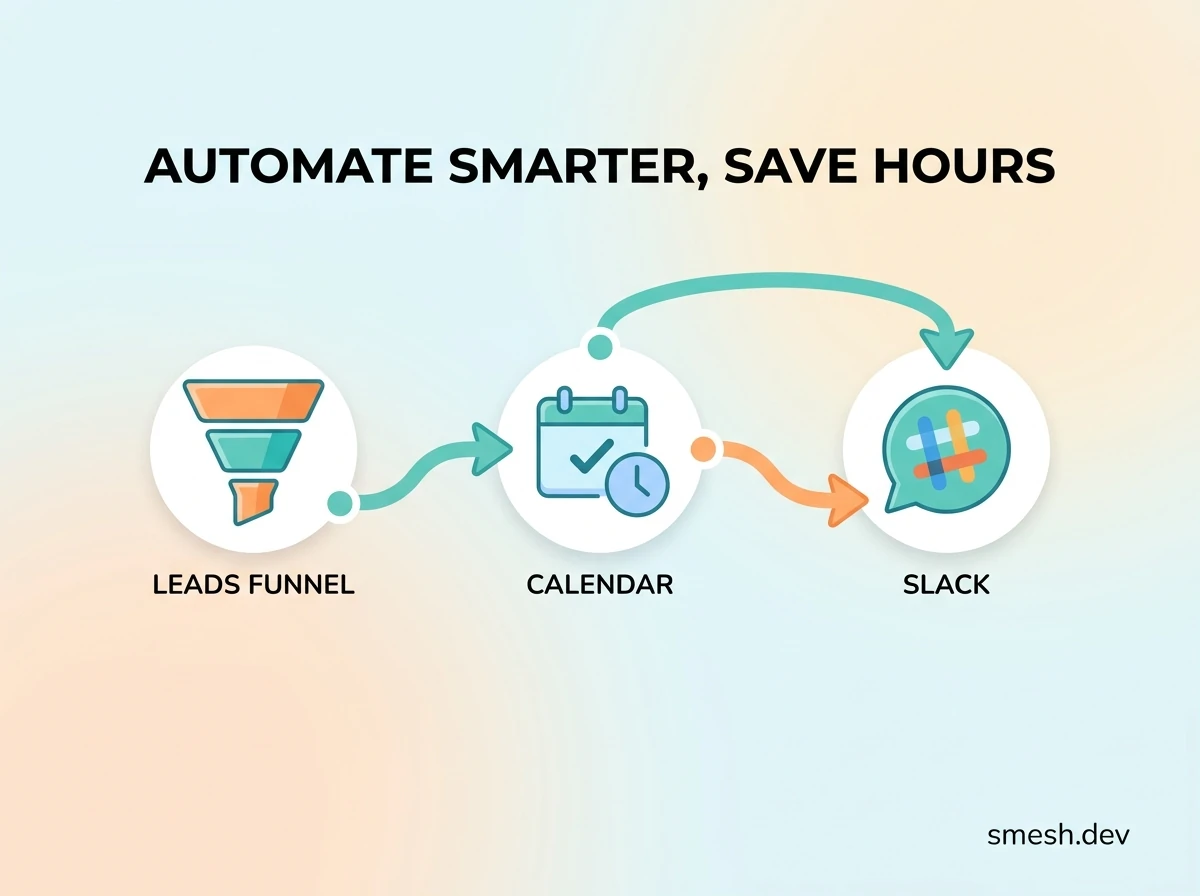
Explore 5 powerful n8n workflow ideas that help startup founders and digital agencies automate leads, sync calendars, send Slack alerts, and save hours of manual admin.
As a startup founder or digital agency owner, you are constantly told that your time is your most valuable asset. Yet, if you audit your typical workweek, you will likely find a significant portion of your cognitive bandwidth consumed by what can only be described as "digital paper-shuffling."
You are copying incoming leads from a Webflow contact form into a Supabase database. You are manually checking a lead's company size on LinkedIn before routing it to a sales representative. You are sending calendar links back and forth, chasing clients for testimonials after project delivery, or copying and pasting blog snippets into social media schedulers.
This manual overhead represents a massive operational bottleneck. It introduces delay, increases human error, and limits your capacity to scale.
While tools like Zapier and Make (formerly Integromat) have long been the default solutions for quick integrations, they quickly become cost-prohibitive and technically limiting. If your workflows require multi-step loops, custom JavaScript data parsing, heavy API request volume, or secure connections to internal databases like Supabase, you need a developer-first automation engine.
That engine is n8n.
In this guide, we will explore why high-performing startups are migrating their automation pipelines to n8n. We will detail 5 production-ready n8n automation blueprints that you can implement immediately to streamline your operations, route qualified leads in seconds, and reclaim hours of engineering time.
The Tech Stack Dilemma: Zapier vs. Make vs. n8n
When selecting an integration platform, most founders make the mistake of evaluating tools purely based on their visual interface. However, the real differences lie in pricing architecture, data privacy boundaries, and execution flexibility.
The comparison table below details the structural differences between the three major players in the workflow automation space:
| Feature | Zapier | Make.com | n8n (Self-Hosted / Cloud) |
|---|---|---|---|
| Pricing Model | Per-Task executed (exponential scaling costs) | Per-Operation (runs out quickly on loops) | Free (Self-Hosted) / Tiered Cloud (Fair execution limits) |
| Data Privacy | SaaS only (all customer data passes through Zapier) | SaaS only (subject to EU/US data regulations) | 100% Secure (Data stays in your infrastructure if self-hosted) |
| Code Execution | Limited Python/JS nodes (restricted libraries) | Basic functions only (regex, math, array helpers) | Full Node.js/Python sandbox (Import npm modules, run complex logic) |
| Looping & Branching | Hard to manage, expensive to run nested steps | Visual loops available but consumes massive operations | Native JavaScript loop nodes (Extremely cost-efficient) |
| Error Handling | Basic notifications; auto-replay requires premium | Advanced error pathways but setup is complex | Error Trigger nodes + Custom Fallbacks (Highly resilient) |
For startups building custom database structures on Supabase or integrating custom AI pipelines, Zapier and Make quickly become technical cages. n8n’s ability to let you write raw JavaScript, execute custom HTTP requests with arbitrary headers, and run self-hosted instances on your own virtual servers makes it the clear choice for modern engineering teams.
Why n8n is a Game-Changer for Startup Operations
To understand the power of n8n, you have to look at how it handles data transformation. In traditional drag-and-drop tools, if an API returns an array of nested objects that you need to filter and map, you have to chain together multiple utility steps. Each of these steps counts as a separate paid execution.
In n8n, you can drag a single Code Node and write standard JavaScript to transform, filter, and map the incoming data payload in one clean step:
// Example: Restructure nested API payload in a single n8n Code Node
const items = input.all();
return items.map(item => {
  return {
    json: {
      lead_email: item.json.email.toLowerCase().trim(),
      company_domain: item.json.email.split('@')[1],
      is_corporate: !['gmail.com', 'yahoo.com', 'hotmail.com'].includes(item.json.email.split('@')[1]),
      submitted_at: new Date().toISOString()
    }
  };
});
By offloading complex filtering to code, you reduce visual noise in your workflows, minimize error points, and optimize execution speed.
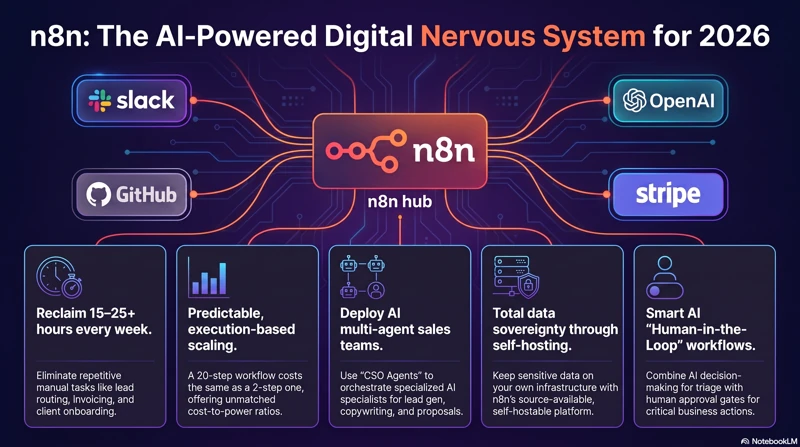
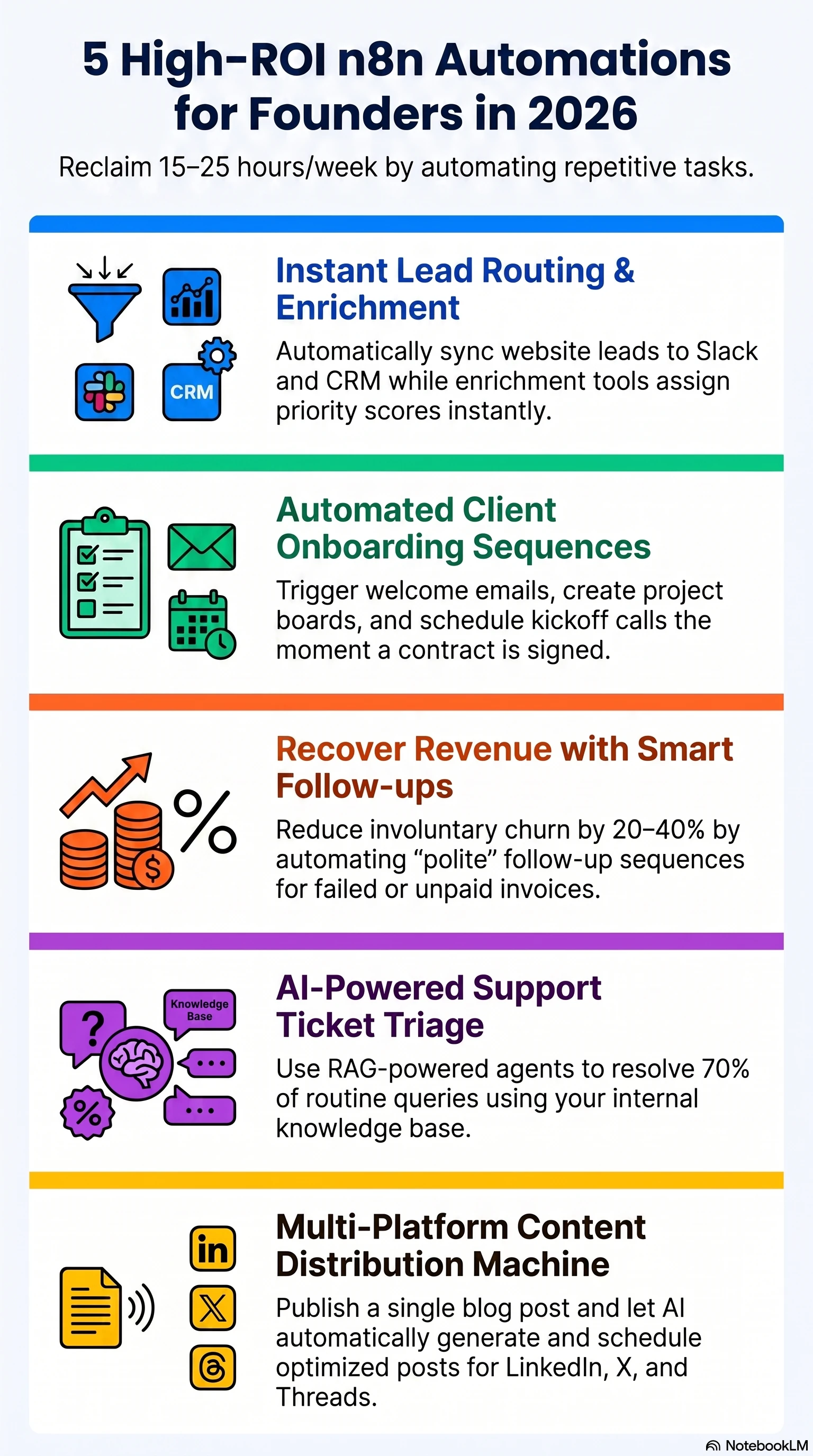 Caption: Implementing code-first workflow systems eliminates administrative overhead and drives higher ROI.
Deep Dive: 5 Production-Ready n8n Automations
Here are 5 practical, high-ROI workflow automations designed to eliminate administrative drag and accelerate lead response times.
1. Instant Lead Enrichment & Slack Routing
The Goal: Route inbound leads from your website form directly to your sales Slack channel within 10 seconds of submission, complete with enriched company details (employee count, industry, technology stack).
graph TD
    A[Webflow Form Trigger] --> B{Email Validation}
    B -->|Personal Email| C[Save to Supabase & Notify Team]
    B -->|Corporate Email| D[Enrich via Clearbit/Lusha API]
    D --> E[Insert Enriched Lead into Supabase]
    E --> F[Generate Rich Slack Block Message]
    F --> G[Post to #leads Channel with WhatsApp CTA]
How it works:
When a visitor fills out a contact form, n8n receives the webhook payload. The first node validates the email address. If it's a corporate email (e.g., john@company.com), n8n triggers an HTTP Request node targeting an enrichment API (like Clearbit, Lusha, or Abstract API).
Once enriched, the lead is stored in your relational database. Finally, n8n constructs a structured Slack Block message and posts it directly to your #leads channel.
The Code Node (Email Validation & Formatting):
Place this JavaScript in a Code Node immediately after your webhook trigger to filter out non-business email domains and standardize names:
// Filter out personal email domains and clean up lead names
const inputs = input.all();
const personalDomains = ['gmail.com', 'yahoo.com', 'hotmail.com', 'outlook.com', 'aol.com', 'icloud.com'];

return inputs.map(item => {
  const email = item.json.body.email || '';
  const domain = email.split('@')[1] ? email.split('@')[1].toLowerCase().trim() : '';
  const isCorporate = !personalDomains.includes(domain);

  // Format Name: capitalize first letter
  let rawName = item.json.body.name || 'Valued Lead';
  let formattedName = rawName.split(' ')
    .map(word => word.charAt(0).toUpperCase() + word.slice(1).toLowerCase())
    .join(' ');

  return {
    json: {
      ...item.json.body,
      name: formattedName,
      email: email.toLowerCase().trim(),
      domain: domain,
      is_corporate: isCorporate,
      raw_payload: item.json
    }
  };
});
Why it matters:
Research shows that responding to a lead within 5 minutes increases conversion rates by over 391%. By pushing structured lead cards with pre-enriched data directly to Slack, your sales team can review company size and industry instantly, then click a pre-generated WhatsApp link to initiate contact. Learn how we set this up on our Social Media Lead Automation Service page.
2. RAG-Powered AI Lead Scoring & Auto-Drafting
The Goal: Automatically score inbound inquiries based on budget, project timeline, and service requirements using LLMs, query your database for relevant case studies, and generate a customized email response draft in your Gmail account.
graph TD
    A[New Lead Saved in Supabase] --> B[AI Scoring Node - Gemini API]
    B --> C{Lead Score >= 7/10?}
    C -->|No| D[Mark as Low Priority & Auto-Archive]
    C -->|Yes| E[Query Vector DB pgvector for Case Studies]
    E --> F[Draft Personalized Response using Context]
    F --> G[Insert Draft in Gmail & Alert Team]
How it works:
When a new lead record is created in Supabase, a webhook triggers n8n. The payload is passed to a Gemini AI node (using the @google/generative-ai SDK via HTTP or n8n’s native AI nodes). The model is prompted to score the lead on a scale of 1 to 10 based on project feasibility.
If the score is 7 or higher, n8n queries a vector database (such as Supabase's pgvector extension) containing your portfolio items and past case studies to locate matching client success stories. It then drafts a highly specific email response containing case study links and saves it as a draft in your Gmail.
The Gemini API System Prompt:
You are an expert sales assistant for Smesh.dev. Review the following client inquiry:
Name: {{ $json.name }}
Budget: {{ $json.budget }}
Message: {{ $json.message }}

Analyze the inquiry and return a JSON object with:
1. "score": integer from 1 to 10
2. "reasoning": brief explanation of the score
3. "matched_services": array of service names (e.g., "n8n automation", "Supabase development")
4. "suggested_hook": a single sentence opening hook referencing their specific pain point.
Why it matters:
Instead of spending 15 minutes researching a prospect and looking up relevant case studies, your sales representative opens their email client to find a perfectly structured draft response already written. They simply review the draft, make minor adjustments, and hit send. For a detailed breakdown of vector databases and context retrieval, read our technical guide: What is an AI Support Chatbot (RAG)?.
3. Omnichannel WhatsApp Lead Capture & Sync
The Goal: Capture prospective clients initiating conversations on WhatsApp, automatically register them in your Supabase CRM database, track message history, and trigger n8n automated notifications.
 Caption: Centralizing customer support streams via WhatsApp APIs directly into your relational backend.
How it works:
Using the official WhatsApp Business Cloud API or a third-party gateway (like Wati or Twilio), incoming customer messages trigger an n8n webhook.
The workflow parses the incoming payload, performs a lookup on the database to check if the sender's phone number already exists, and either updates the existing contact card with the message logs or creates a new lead profile.
The Code Node (WhatsApp Payload Parser):
WhatsApp webhooks send messages in a deeply nested structure. Use this node script to normalize incoming text and media files:
// Parse WhatsApp Business Cloud API webhook payload
const inputs = input.all();

return inputs.map(item => {
  const value = item.json.entry?.[0]?.changes?.[0]?.value;
  const contact = value?.contacts?.[0];
  const message = value?.messages?.[0];

  if (!message) {
    return { json: { valid: false } };
  }

  const phone = contact?.wa_id || message?.from;
  const name = contact?.profile?.name || "WhatsApp User";
  const type = message?.type;

  let textContent = "";
  if (type === "text") {
    textContent = message.text.body;
  } else if (type === "interactive") {
    textContent = message.interactive?.button_reply?.title || message.interactive?.list_reply?.title || "";
  } else {
    textContent = `[Received ${type} file]`;
  }

  return {
    json: {
      valid: true,
      phone_number: phone,
      client_name: name,
      message_body: textContent,
      message_id: message.id,
      timestamp: new Date(parseInt(message.timestamp) * 1000).toISOString()
    }
  };
}).filter(item => item.json.valid);
Why it matters:
In emerging markets like Pakistan, WhatsApp is the primary business communications channel. Forcing clients to fill out long web forms often hurts conversion rates. Letting them initiate contact on WhatsApp, while automating the backend CRM sync, gives you the speed of a chat interface with the structure of enterprise databases. See how this works in practice: How WhatsApp Automation Helps Local Shops.
4. Automated Client Feedback & Review Engine
The Goal: Send post-delivery review requests automatically when a project card is marked "Completed" in Notion, wait exactly 3 days, check client sentiment via email, and route positive reviews to Google Maps.
graph TD
    A[Notion Status Changed to Completed] --> B[n8n Wait Node: Delay 3 Days]
    B --> C[Send Sentiment Check Email via Gmail]
    C --> D{Wait for Reply Webhook}
    D -->|Negative Sentiment| E[Create Urgent Ticket in Slack]
    D -->|Positive Sentiment| F[Send Second Email with Google Maps Link]
How it works:
An n8n cron node polls your Notion database hourly. When it detects a project status shift to "Completed," the workflow triggers and enters a Wait Node set to delay execution for 72 hours.
After 3 days, n8n sends a polite sentiment check email. If the client replies with positive feedback (analyzed using simple regex or sentiment classification), n8n automatically triggers a follow-up email thanking them and providing your direct Google Review shortcut link. If the client replies with concerns, n8n immediately creates a high-priority Slack notification for your customer success team.
Why it matters:
Consistently gathering reviews is critical for local SEO and business authority, yet manually chasing clients for reviews is a chore that developers and project managers routinely forget. Automating this ensures that 100% of satisfied clients are prompted to review your business, while ensuring any issues are handled privately before they hit public channels.
5. Cross-Platform Social Media Syndication
The Goal: Automatically format, schedule, and publish new article notifications across LinkedIn, X (Twitter), and Facebook APIs whenever a new post is published on your Astro website.
 Caption: Distributing optimized promotional posts across social networks using LLM summaries.
How it works:
Whenever your static Astro site builds and updates its RSS feed, n8n detects the new entry. It fetches the article content, uses Gemini to write platform-specific captions (e.g., short and punchy for X with hashtags; professional and story-driven for LinkedIn), and makes structured POST requests to the platform APIs.
The Code Node (Social Media Caption Generator Input):
Use this helper to structure feed payloads before sending them to the LLM node:
// Map incoming RSS item details into a structured prompt input
const inputs = input.all();

return inputs.map(item => {
  const title = item.json.title;
  const description = item.json.description || item.json.summary || '';
  const url = item.json.link || item.json.url;

  return {
    json: {
      article_title: title,
      article_url: url,
      article_description: description,
      linkedin_prompt: `Write a professional, value-first LinkedIn post promoting the article: "${title}". Description: ${description}. Explain the "Why" and end with a curiosity hook pointing to: ${url}. Do not use generic hashtags.`,
      twitter_prompt: `Write a punchy, technical tweet promoting: "${title}". Include the link: ${url}. Max 260 characters. No emojis.`
    }
  };
});
Why it matters:
Manually publishing promotional posts across 4-5 different networks is tedious. Because of this, many startups publish once and neglect distribution. Chaining your RSS feed to n8n guarantees that every piece of high-value content you write gets distributed immediately, increasing SEO signals and traffic with zero manual intervention. Read our checklist to optimize your overall digital presence: Business Website Checklist for Pakistani Startups.
Production Readiness: How to Self-Host and Scale n8n
While n8n offers a managed cloud service, self-hosting is highly recommended for startups and agencies due to raw cost savings and database proximity. You can host n8n on a simple virtual private server (VPS) from DigitalOcean, Hetzner, or Contabo for under $10/month.
1. Docker Compose Configuration
To spin up a production-ready, self-hosted instance of n8n using PostgreSQL as the backend database, use the following docker-compose.yml template:
version: '3.8'

services:
  postgres:
    image: postgres:16-alpine
    container_name: n8n_db
    restart: always
    environment:
      POSTGRES_DB: n8n
      POSTGRES_USER: n8n_user
      POSTGRES_PASSWORD: your_db_secure_password_here
    volumes:
      - pg_data:/var/lib/postgresql/data
    healthcheck:
      test: ["CMD-SHELL", "pg_isready -U n8n_user -d n8n"]
      interval: 10s
      timeout: 5s
      retries: 5

  n8n:
    image: docker.n8n.io/n8nio/n8n:latest
    container_name: n8n_app
    restart: always
    ports:
      - "127.0.0.1:5678:5678"
    environment:
      - DB_TYPE=postgresdb
      - DB_POSTGRESDB_HOST=postgres
      - DB_POSTGRESDB_PORT=5432
      - DB_POSTGRESDB_DATABASE=n8n
      - DB_POSTGRESDB_USER=n8n_user
      - DB_POSTGRESDB_PASSWORD=your_db_secure_password_here
      - N8N_HOST=automation.yourdomain.com
      - N8N_PORT=5678
      - N8N_PROTOCOL=https
      - NODE_ENV=production
      - WEBHOOK_URL=https://automation.yourdomain.com/
      - EXECUTIONS_PROCESS=main
    depends_on:
      postgres:
        condition: service_healthy
    volumes:
      - n8n_data:/home/node/.n8n

volumes:
  pg_data:
  n8n_data:
2. Memory Optimization for High Load
If you are running high-volume webhook pipelines, a standard n8n container can consume substantial memory because it defaults to spawning a separate Node.js subprocess for every execution (EXECUTIONS_PROCESS=own).
To prevent memory spikes on a small VPS:
- Set
EXECUTIONS_PROCESS=mainin your environment variables. This forces n8n to execute all workflows inside the main application thread, reducing memory overhead per execution from ~60MB to virtually zero. - Configure pruning by setting
EXECUTIONS_DATA_PRUNE=trueandEXECUTIONS_DATA_MAX_AGE=168(pruning logs older than 7 days) to prevent database bloat.
3. Error Handling and Workflow Resilience
Never deploy a production workflow without setting up global error handling. If an external API (like Slack or HubSpot) drops momentarily, your workflow will fail, and you risk losing customer data.
- Use Retry Options: In your critical HTTP Request and database nodes, click on the node settings (gear icon) and enable Retry on Failure. Set it to 3 retries with a 5000ms delay.
- Global Error Trigger Workflow: Create a separate, simple workflow in n8n starting with an Error Trigger Node. Connect it to a Slack or email node. Under your main workflows' settings, assign this error workflow as the global fallback handler. If any node fails completely, n8n will immediately route the execution context and error logs to your support channel.
The Automation ROI: Take the Next Step
Automation is not about replacing human creativity; it is about protecting your time so you can focus on building products, closing clients, and driving revenue.
Setting up n8n workflows requires initial technical setup, but the dividends are immediate. Every manual script you replace with an automated n8n pipeline is a compounding efficiency win for your startup.
Frequently Asked Questions
Is n8n really free to use?
Yes, n8n is source-available and completely free to self-host without feature limitations under their fair-code license. If you prefer not to manage server infrastructure, n8n offers official Cloud hosting starting at $20/month.
How does n8n compare to Zapier for AI integrations?
n8n is significantly better for AI operations. It has built-in nodes for advanced AI frameworks (LangChain integration, vector database connectors, document loaders, memory buffers) and supports executing native JavaScript to transform unstructured model outputs.
Can n8n connect to Pakistani payment gateways or SMS APIs?
Yes. Since n8n features a robust HTTP Request Node, you can connect to any provider offering a REST API, including local Pakistani APIs like EasyPaisa, JazzCash, Nayapay, or SMS gateways like SendPK and SMS.com.pk.
What happens if my self-hosted n8n server crashes?
If your server crashes, workflows will pause. However, if you use a production database (like PostgreSQL in Docker) and configure process managers, n8n will automatically recover. Webhook triggers from platforms like Webflow or Stripe can be configured to retry failed deliveries, ensuring no data loss occurs during downtime.
Is JavaScript required to build workflows in n8n?
No. Over 90% of integrations can be built visually using n8n’s drag-and-drop node catalog. JavaScript is only required when performing highly custom data transformations, custom cryptographic calculations, or parsing complex nested payloads.
Summary wrap-up
Automating operational workflows using custom-mapped n8n instances and centralizing logs inside Supabase is the single highest-leverage move for service operations today. It eliminates overhead and ensures zero customer inquiries slip through the cracks.

About the Author: Haider Ali Verified Specialist
Principal Automation Engineer & Founder at Smesh.dev
Haider Ali is an expert automation engineer specializing in building custom n8n pipelines, designing relational Supabase databases, training RAG-powered support chatbots, and building high-speed static websites for businesses across Pakistan and internationally.
Related Blueprints & Guides
Ready to implement this system?
Skip the manual headaches. Schedule a free 15-minute discovery audit call and let's map out the shortest automation path for your workflows.