
Protecting Programmatic SEO from the June 2026 Google Spam Update
A technical breakdown of the June 2026 Google spam update, how to diagnose if your programmatic SEO site is affected, and a step-by-step recovery and automation framework using n8n, Supabase, and AI agents.
If you run a programmatic SEO site — a directory, a comparison engine, a location-based service network, anything generated from a template and a dataset — you likely asked yourself one question during the last week of June 2026: are my templated pages now sitting in Google's spam bucket?
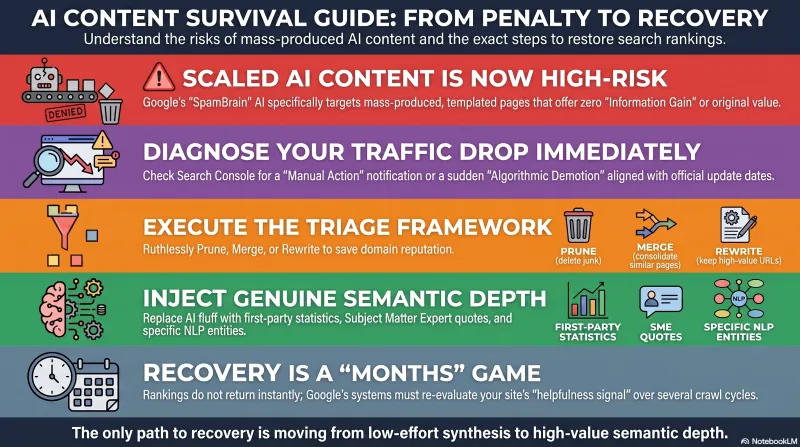
That fear is not paranoia. On June 24, 2026, Google rolled out its second spam update of the year, completing the rollout on June 26. Spam updates run through SpamBrain, Google's dedicated AI-based spam prevention system, and this cycle leaned heavily toward what Google's own policies call Scaled Content Abuse: mass-producing unoriginal, templated pages primarily to manipulate rankings rather than help users.
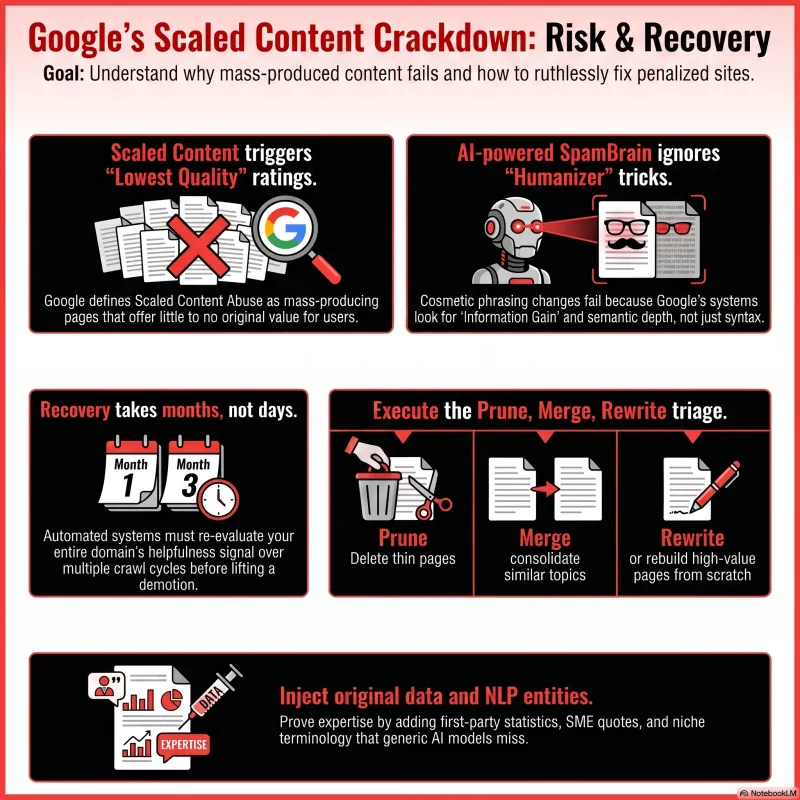
If your business model is "build a template, populate it with data, publish thousands of pages," this description is uncomfortably close to home. Here's what makes it urgent: Google has been explicit that recovery from a spam update is not immediate. Automated systems need months to relearn that a site is compliant, and that clock only starts once the underlying problem is actually fixed.
This guide breaks down what the update targets, how to diagnose whether you're affected, and how to rebuild a programmatic SEO system so "spam-safe" is a property of the architecture — not something patched on after a demotion.
1. Understand What SpamBrain Actually Targets
SpamBrain is Google's AI-powered spam detection and enforcement system, running continuously since 2022. It doesn't look for banned keywords — it looks for patterns correlated with manipulative intent, evaluated at the template level rather than the page level.
What was targeted vs. not in June 2026:
- Scaled/templated content with low unique value — targeted
- Cloaking and doorway pages — targeted
- Link spam — explicitly excluded this cycle
- Site Reputation Abuse (third-party content hosted to borrow a domain's authority) — a separate policy, not the focus this cycle
Because detection is pattern-based, fixing a handful of pages does nothing. If 400 of your 500 pages share a skeleton with only the data swapped, the template itself is the problem — not the individual pages.
2. Know the Difference: Manual Action vs. Algorithmic Demotion
This distinction decides your entire recovery path.
- Manual action: A human reviewer flags your site. It appears under Security & Manual Actions in Search Console, and recovery requires a formal reconsideration request after fixing the issue.
- Algorithmic demotion: No notification is sent. You identify it by a traffic drop that lines up with a confirmed update date, and there's no request to file — Google's systems simply need to observe the fix over time.
Most programmatic SEO sites hit by the June update fall into the second category, which is why so many site owners initially assume nothing is wrong — there's no message telling them otherwise.
3. Run the Diagnostic
Red flags checklist:
- More than 60–70% of your pages share an identical structural skeleton with only data fields changed
- No content section that couldn't be regenerated by swapping template variables
- No page-specific commentary, analysis, or sourcing
- Mechanical internal linking only (category → item, no editorial cross-links)
- Pages exist mainly to funnel traffic to one conversion page
In Search Console:
- Go to Performance → Search Results
- Set a custom date range starting June 24, 2026, compared against the prior equivalent period
- Segment by Page, sorted by largest drop
- Check the Indexing report for a spike in "Crawled – currently not indexed" — this typically appears before ranking drops become visible
4. Apply the Triage Framework
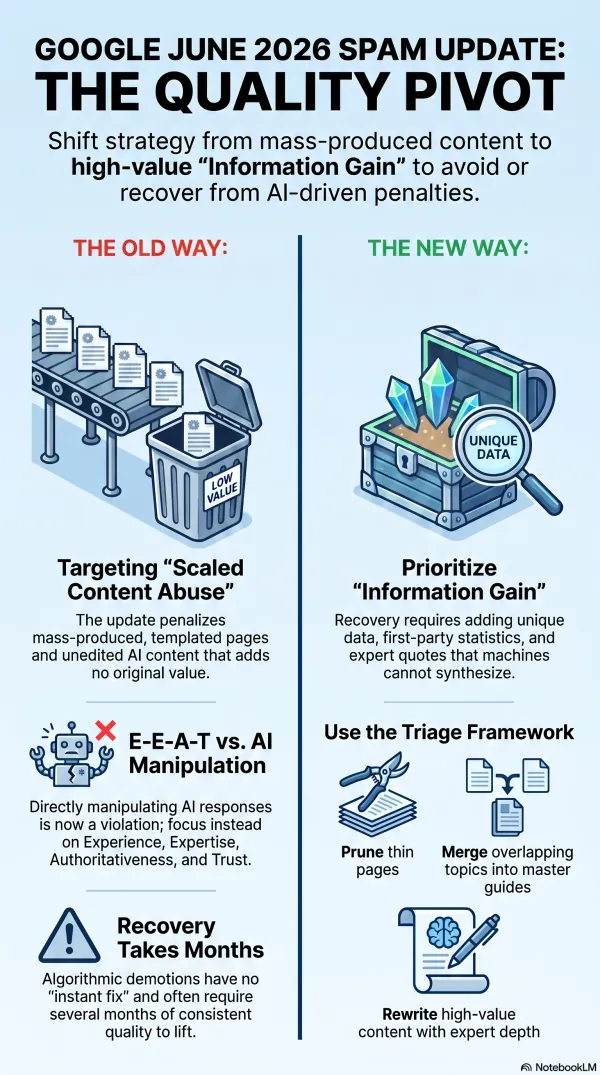
Google's 2026 guidance points to three actions for penalized content clusters:
- Prune: Delete thin, unoriginal pages, returning a 410 status
- Merge: Consolidate near-duplicate pages into one stronger page via 301 redirects
- Rewrite: Rebuild high-potential pages with real depth and original insight
The goal isn't saving every page — it's improving the domain's overall helpfulness signal by removing the low-quality clusters dragging it down.
5. Build for Information Gain, Not Just Volume
Information Gain — original insight, first-party data, or a unique perspective not available elsewhere — is the metric that actually predicts recovery. Rewriting a page's phrasing without adding depth does not fix a Scaled Content Abuse flag; the page still adds nothing the web didn't already have.
Example — before and after:
- Before: A pricing comparison page with a static table, manually refreshed every few months.
- After: The same page pulling live pricing from a database on each build, with a short auto-generated note on what changed since the last snapshot, plus a page-specific FAQ built from real user queries logged against that page.
6. Automate the Audit Instead of Doing It Manually
Auditing hundreds of pages by hand is a multi-week project. An n8n + Supabase + AI agent pipeline turns it into a standing system:
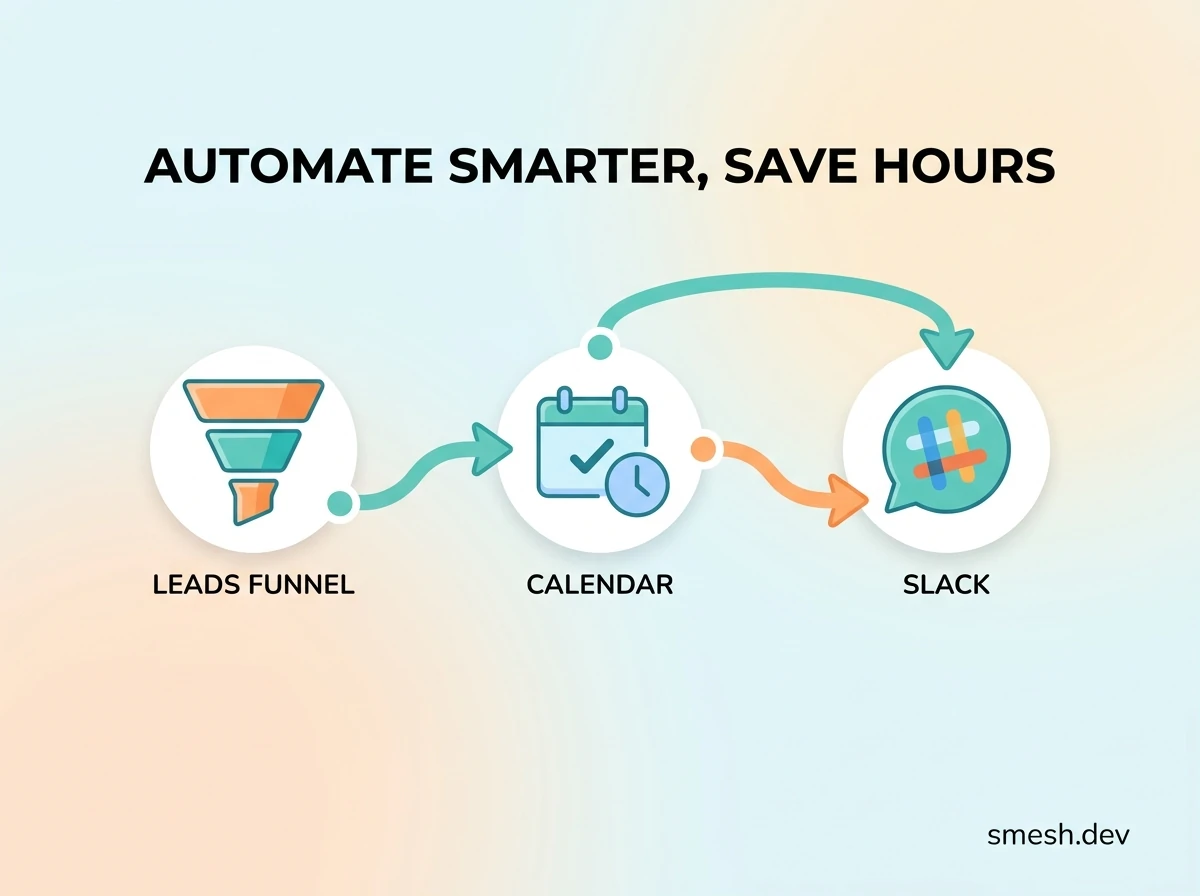
- n8n: Weekly Google Search Console pull → Supabase log → week-over-week delta calculation → Slack digest of pages that dropped past a threshold
- AI agent: Score each page against the Information Gain and E-E-A-T criteria, returning a structured score and rationale, stored back in Supabase
- Template fix: Sort the scored pages ascending and work down the list systematically instead of guessing which pages to fix first
7. Design New Templates to Be Spam-Safe From the Start
- Every template should include at least one field that is genuinely unique per page, not derivable from the URL pattern
- Add a computed insight block (a comparison or calculation), not just a data lookup
- Vary structural elements based on the underlying data instead of rendering an identical skeleton every time
- Use real timestamps tied to actual data changes
Where This Leaves You
Recovery from a spam update takes months, not days, and there's no shortcut around that timeline once you're affected — which is exactly why catching exposure early, before a drop happens, is worth the engineering effort. If your programmatic SEO site depends on templates at scale, the fix isn't writing more content faster; it's making the templates themselves defensible.
If you'd rather not run this audit manually, this is the kind of work I do — auditing programmatic SEO architectures, rebuilding templates to be spam-safe by design, and setting up the n8n and Supabase monitoring stack so the next update gets caught before it costs you months of recovery. To see how we approach this, visit our SEO & Automation Services page.
Frequently Asked Questions
What is SpamBrain and what role does it play in Google's search ecosystem?
SpamBrain is Google's AI-powered spam prevention and enforcement system that has been working constantly since 2022. It serves as the backbone for spam updates, improving the automated detection of manipulative content and low-value strategies produced at scale.
How can a site owner distinguish between a manual action and an algorithmic demotion using Google Search Console?
A manual action results in a specific notification under the 'Security & Manual Actions' tab in Google Search Console and requires a formal reconsideration request after fixing the violation. An algorithmic demotion provides no notification and is identified by a sudden traffic drop that aligns with a confirmed algorithm update.
What is Scaled Content Abuse, and how does Google identify it?
Scaled Content Abuse involves generating an abundance of content with little effort or originality, often using automated tools like generative AI, primarily to benefit the website owner rather than users. Google identifies this by looking for mass-produced, templated content that adds no significant value compared to existing pages on the web.
What is Information Gain and why is it important for content recovery?
Information Gain refers to providing original insights, first-party data, or unique perspectives that are not found in other search results. It is critical for recovery because simply rewording existing text does not address the underlying lack of depth that triggers algorithmic demotions.
What specific policy change did Google implement in May 2026 regarding AI?
In May 2026, Google updated its spam policies to explicitly state that AI manipulation — specifically attempting to manipulate AI responses in Google Search, AI Overviews, or AI Mode — is considered a violation, closing previous areas of ambiguity for SEOs using content designed to game AI-driven search interfaces.
Agency Website + Contact Automation
Summary wrap-up
Automating operational workflows using custom-mapped n8n instances and centralizing logs inside Supabase is the single highest-leverage move for service operations today. It eliminates overhead and ensures zero customer inquiries slip through the cracks.

About the Author: Haider Ali Verified Specialist
Principal Automation Engineer & Founder at Smesh.dev
Haider Ali is an expert automation engineer specializing in building custom n8n pipelines, designing relational Supabase databases, training RAG-powered support chatbots, and building high-speed static websites for businesses across Pakistan and internationally.
Related Blueprints & Guides


Ready to implement this system?
Skip the manual headaches. Schedule a free 15-minute discovery audit call and let's map out the shortest automation path for your workflows.